Nesty questions, answered.
Short, plain answers for parents: what Nesty is, how the parent app and the child tablet app fit together, the free trial, setup, privacy and how to reach us.
- Android tablets only
- 1-month free trial
- One family subscription
- Reply within 2 working days
About Nesty
What Nesty is.
One family product, made by Snoaper, for parent-managed child Android tablets.
What is Nesty?
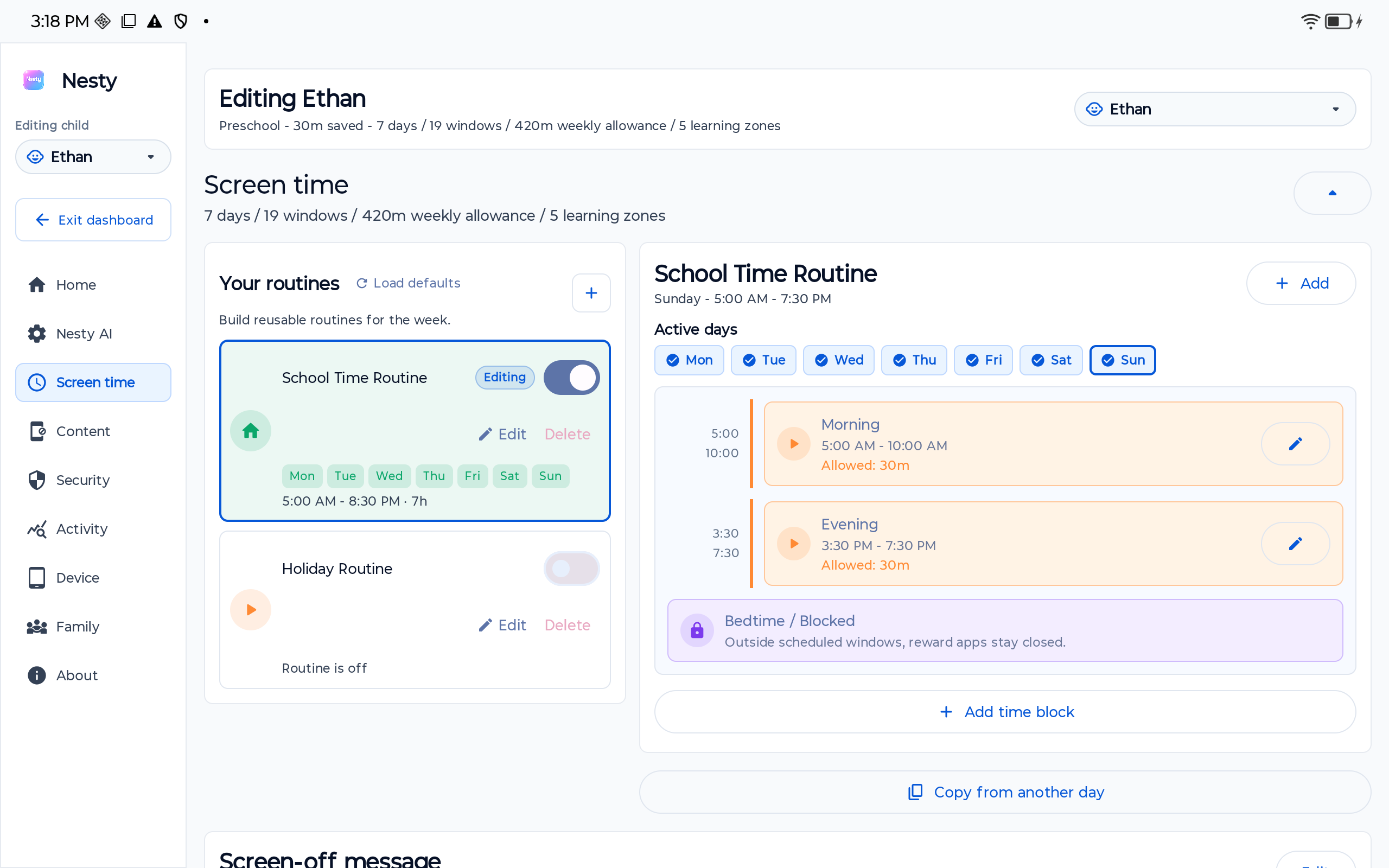
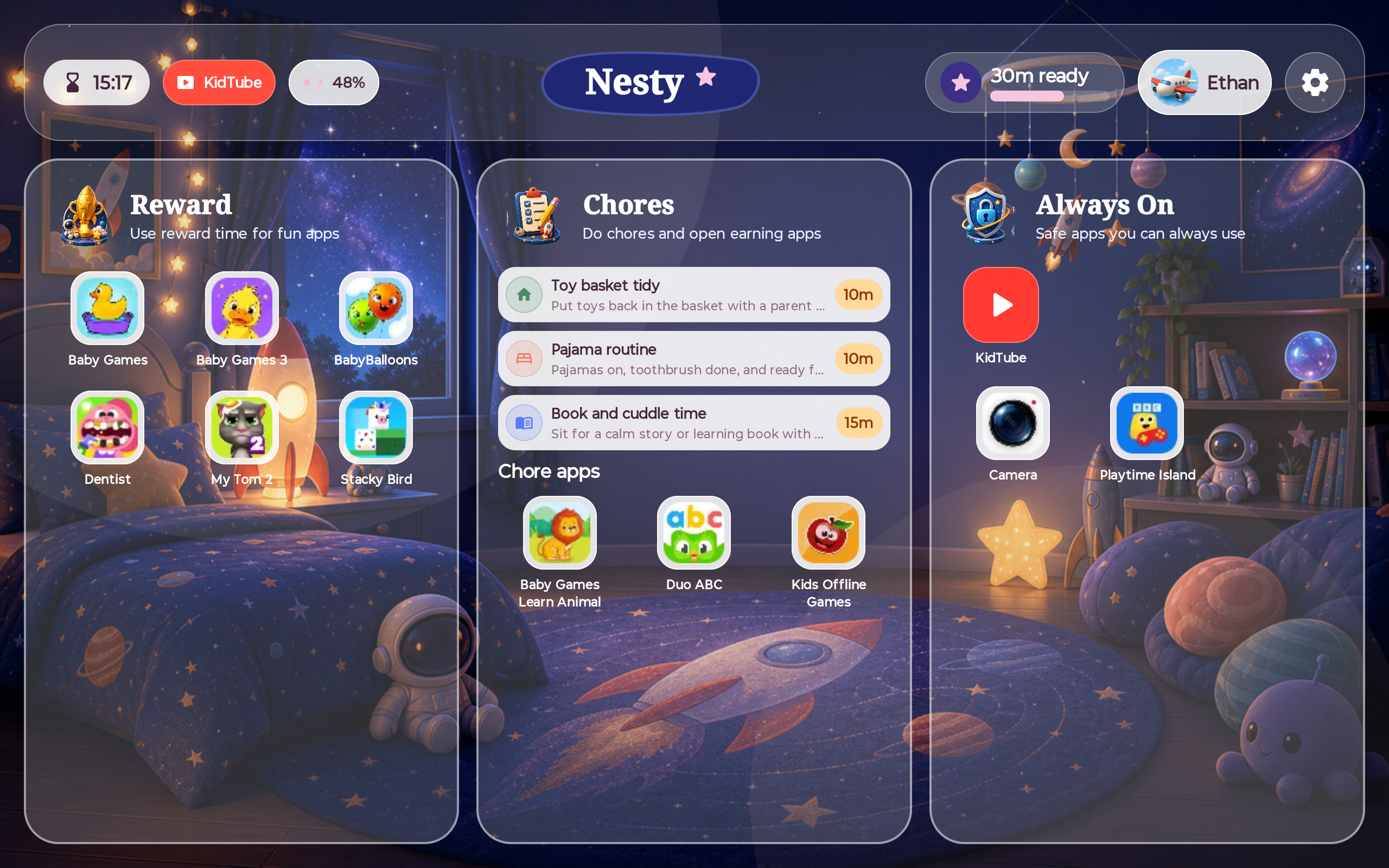
Nesty is a family tablet protection product made by Snoaper, a Danish business (CVR 45076199). You set the rules in Nesty Parent: screen time schedules, app and website rules, KidTube approved channels, chores, reward time and quiet hours. Nesty Child Tablet applies them on your child's Android tablet.
Who is Nesty for?
Parents and guardians who manage a child's Android tablet. Nesty Parent is for adults. Your child uses the tablet; they don't need the parent app or an account of their own.
Does Nesty promise perfect protection?
No. No app can remove every risk. Test the rules on your child's actual tablet before you hand it over, and keep checking in with your child.
Two apps
Nesty Parent and Nesty Child Tablet.
Each app has one job. You never have to choose which one you are at start-up.
What does Nesty Parent do?
Nesty Parent is your app. It handles your account, Plan and billing, family setup, child profiles, pairing, tablet status, rules, and Help & feedback. The install site has the current download and phone requirements.
What does Nesty Child Tablet do?
It runs on your child's Android tablet. It applies the family rules, shows the child dashboard and tells your child on screen when time is off. You install it through Nesty's guided setup or PC Link, not from an app store.
Does it work on an iPad?
No. Nesty Child Tablet is for Android tablets only, running Android 14 or newer with managed QR setup support. It does not work on iPads or iPhones. Check setup help before you reset a tablet.
Trial and subscription
Try it first. One family plan after that.
Full details are on the pricing page and in the terms.
Is there a free trial?
Yes. New families get a 1-month (30-day) free trial in Nesty Parent. Starting a Nesty account on its own does not authorise a charge.
What happens after the trial?
Paid family access is needed after the trial: a monthly family subscription, or founder lifetime access as a one-time purchase. Google Play shows your local price and renewal terms before you confirm.
Does Nesty Child Tablet cost extra?
No. Nesty Child Tablet is part of the family subscription and is not sold separately.
How do I cancel?
Open Plan in Nesty Parent. Cancellation stops future renewals. Access normally continues until the end of the paid period or free trial.
Does removing Nesty from the tablet cancel my plan?
No. Removing Nesty from a tablet does not cancel your family subscription. Manage or cancel it in Nesty Parent.
How do I set up Nesty?
Install Nesty Parent, create your family and add your child. Then set up the child's Android tablet. A new tablet straight from the box is easiest, with nothing to wipe. A tablet already in use needs a factory reset first, so back up its photos and files before you start.
Can I set up with a Windows PC?
Yes. Nesty PC Link sets up the child Android tablet over USB, with no welcome-screen taps or QR code. It also helps with recovery and child app updates.
How do I remove Nesty?
Any time, with your parent PIN on the tablet. The tablet works as a normal tablet again, keeps its other apps, photos and files, and does not need another reset. See How to remove Nesty.
Privacy
Your family's data stays your family's.
The privacy policy lists exactly what Nesty collects, why, who helps us run it and how long we keep it.
What does Nesty collect?
Only what it needs to run your family's rules: your account, your child profiles, the rules you set, and the tablet status and app use needed to apply them. We don't sell data, show ads or use family data for advertising.
Can I delete our data?
Yes. Follow the steps on the account deletion page, use our contact form, or email [email protected] from your parent account.
Does this website use cookies?
No. We count visits with Cloudflare Web Analytics, which doesn't use cookies or track you across other websites.
Contact
Talk to a person.
A real person at Snoaper reads every message.
How do I contact support?
Use our contact form or email [email protected]. We reply within 2 working days. You can also use Help & feedback in Nesty Parent.
What should I include?
Your parent account email, the tablet model and the exact message you see. Never send passwords or your parent PIN.
I lost my parent PIN. What now?
Contact us through the contact form or at [email protected] before you try anything else. A factory reset also removes Nesty, but it erases the tablet, so treat it as a last resort.