What Nesty monitors on a child Android tablet.
Nesty monitors the tablet state needed to apply family rules. It is not a hidden text-message, social-media, or email monitoring suite, and it should not be sold as one.
- Android child tablets
- Parent and child app roles
- Locate and capture limits
- Deletion route
Short answer
Nesty needs control data, not a mystery profile of the child.
A parent-managed child tablet needs enough data to know which child, which device, which apps, which rules, and which schedule are active. Nesty should explain that plainly because trust matters more than a softer sales claim.
Parent app
Parents set rules and see status.
The parent experience is for account, family, child, device, subscription, setup, and rule management. It does not need the same child-tablet control permissions as the child device.
Child tablet
The child app applies rules on Android.
The child-tablet role can need Android permissions for app inventory, usage-based controls, lock screens, overlay behavior, accessibility-assisted protection, and device-owner management where configured.
Sensitive tools
Some actions are parent-triggered.
Locate, screenshot, and camera-shot actions depend on Android support, permissions, service state, and parent dashboard commands. They should be described as sensitive controls, not background magic.
Boundaries
Nesty is not a content-spying suite.
Nesty is not positioned as a tool for reading private chats, email, or every social-media message. Its main job is child-tablet rules, routines, and parent-visible control state.
What data Nesty uses
The practical data behind a controlled tablet.
This is the kind of information Nesty may process so the parent dashboard and child tablet can stay in agreement.
| Data area | Why Nesty may need it | What parents should check |
|---|---|---|
| Parent account and family | To sign in the parent, connect the subscription, create a family, and manage family-level settings. | Confirm the parent account, email, family, and billing state are the ones you expect before changing child rules. |
| Child profile and device assignment | To know which rules belong to which child and which Android tablet should receive them. | Check the selected child and tablet name. A rule can look wrong if it was applied to another profile or old device. |
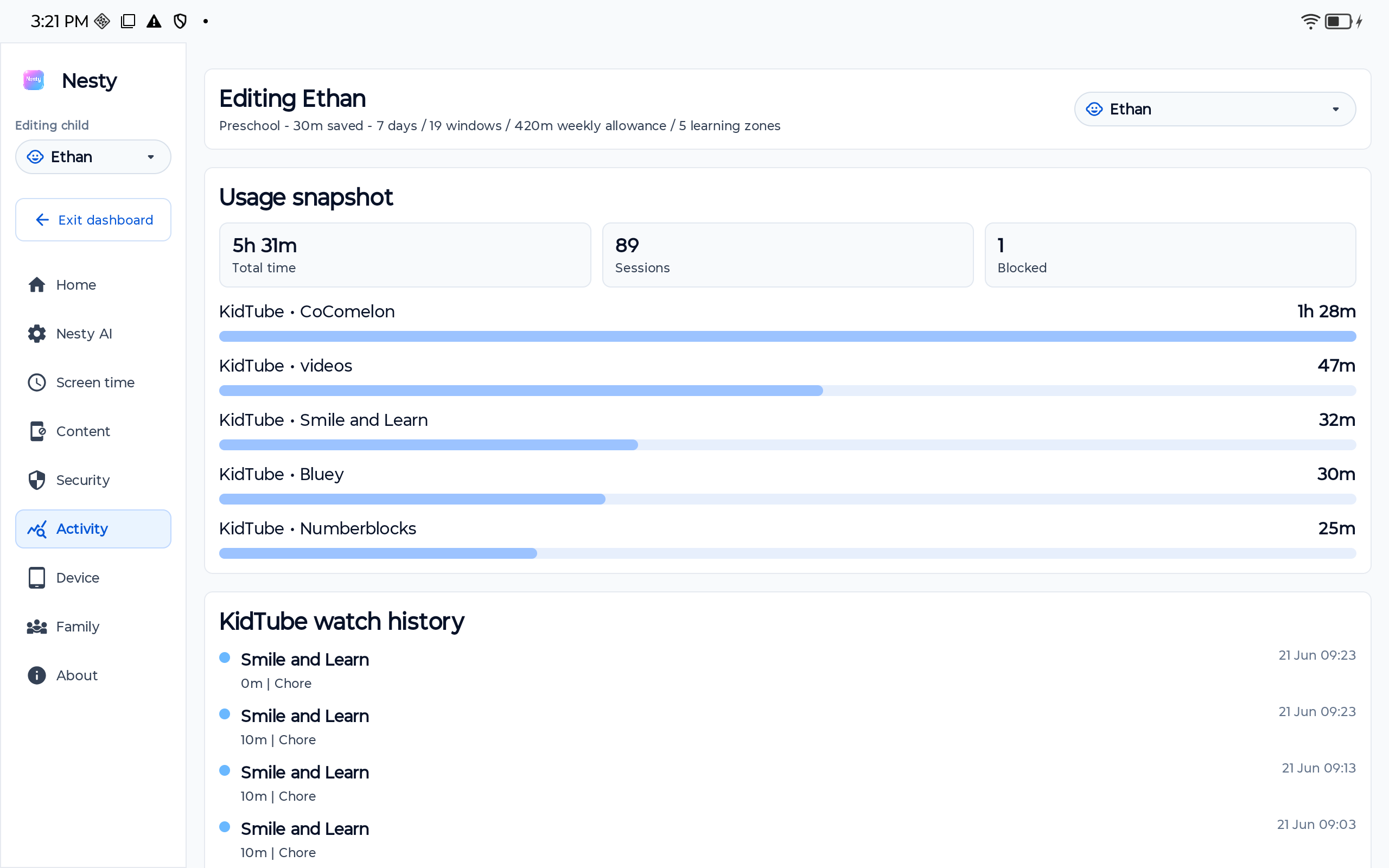
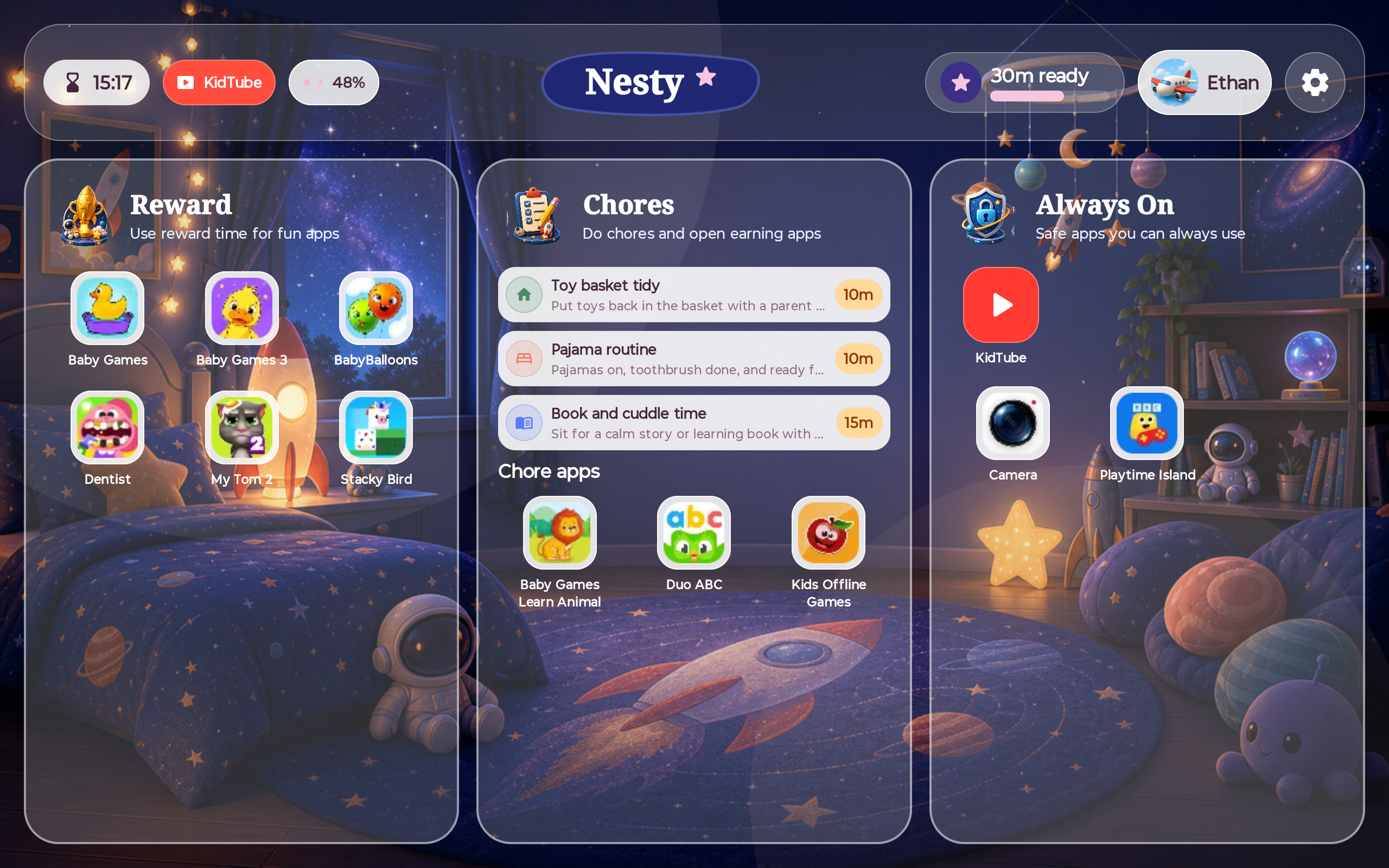
| Apps, lanes, websites, and KidTube | To sort apps into always-on, chore or learning, reward, and blocked lanes, apply website rules, and show approved KidTube paths. | Compare the parent dashboard with the child tablet home screen and launcher after sync. |
| Schedules, quiet hours, chores, and rewards | To decide when a tablet should be open, locked, quiet, learning-focused, or in reward time. | Check timezone, current schedule window, earned reward state, and whether a chore or rule recently changed. |
| Usage and device activity needed for controls | To support app rules, active-session logic, visible limits, tablet status, and control enforcement. | Check recent sync time, battery, network state, accessibility state, and whether the tablet is online. |
| Locate, screenshot, and camera-shot artifacts | To support parent-triggered device actions where Android hardware, permissions, foreground services, and setup state allow them. | Treat these as sensitive. Verify permission state, Android notices, command history, and whether the device could actually complete the request. |
What Nesty does not claim
Good parental controls should say where they stop.
Nesty should not be described as a universal tablet safety guarantee. It should not be presented as the same protected child-tablet mode for iPad, Fire tablets, or unsupported Android devices. It should not imply that one app can replace parent judgement, age-appropriate setup, regular checks, or conversations.
Nesty also should not be treated as a private-message reader. Parents comparing monitoring products should know that Nesty is focused on Android child-tablet control: visible app lanes, schedules, KidTube, chores, rewards, setup checks, and parent-dashboard oversight.
That distinction is commercially useful because it helps the right customer choose Nesty and helps the wrong customer avoid paying for something they meant to buy elsewhere.
Privacy and deletion
Nesty's support pages should be part of the buying decision.
Before relying on any parental control product, read its privacy, deletion, and terms pages. Nesty's public pages explain that it does not sell parent emails, family data, or child activity data, and that parents can request account and family data deletion subject to records that may need to be retained for billing, tax, fraud prevention, security, legal, or operational reasons.
Data integrity
When something looks wrong, check the data path before assuming the rule failed.
A parental control issue can come from stale setup data, the wrong child, an old tablet record, an app assigned to the wrong lane, a schedule window that is still active, a device that is offline, or a permission that Android has blocked.
For Nesty, check the parent account, family, child profile, selected device, app lane, website rule, KidTube setting, schedule, reward state, tablet sync time, accessibility state, location permission, camera permission, command result, and the child's actual tablet screen.
Parent checklist
Questions to answer before installing Nesty on a child tablet.
This checklist is intentionally plain. A product used around children should be understandable before it is installed.
Nesty's child-tablet experience is for parent-managed Android child tablets. Confirm the model, Android version, account state, and setup route before relying on it.
Expect child profiles, device records, app inventory, rules, schedules, rewards, KidTube settings, usage needed for controls, telemetry, command history, and support data.
Locate, screenshot, and camera-shot behavior should be checked explicitly because they depend on Android permissions, setup state, and parent-triggered commands.
Read the privacy page, account deletion page, cancellation path, and terms before treating Nesty as part of the family tablet routine.
FAQ
What Nesty monitors: parent questions.
Short answers for parents checking privacy before installing a child-tablet control app.
What does Nesty monitor on a child Android tablet?
Nesty processes the child-tablet data needed to apply family rules: child profiles, device assignment, app inventory, app and website rules, schedules, KidTube settings, chores, rewards, usage needed for controls, device status, and parent-triggered command results where supported.
Does Nesty monitor texts, social media, or email?
Nesty should not be treated as a text-message, social-media, or email monitoring suite. It is focused on parent-managed Android child-tablet routines and controls.
Can parents delete Nesty family data?
Parents can request account and family data deletion through Nesty's account deletion route, subject to records that may need to be kept for billing, tax, fraud prevention, security, legal, or operational reasons.