Nesty guide hub
Find the right Android tablet parental-control guide.
Start with the parent problem: choosing a tablet, setting it up, managing apps and screen time, understanding what Nesty monitors, or comparing alternatives honestly.
Reviewed on . Nesty guide pages are written around public source checks, visible product evidence, and Android child-tablet setup tests rather than fake reviews or broad safety claims.
- Setup
- Daily rules
- Trust
- Comparisons
Reviewed source hub
Every guide should help a real parent make a safer setup decision.
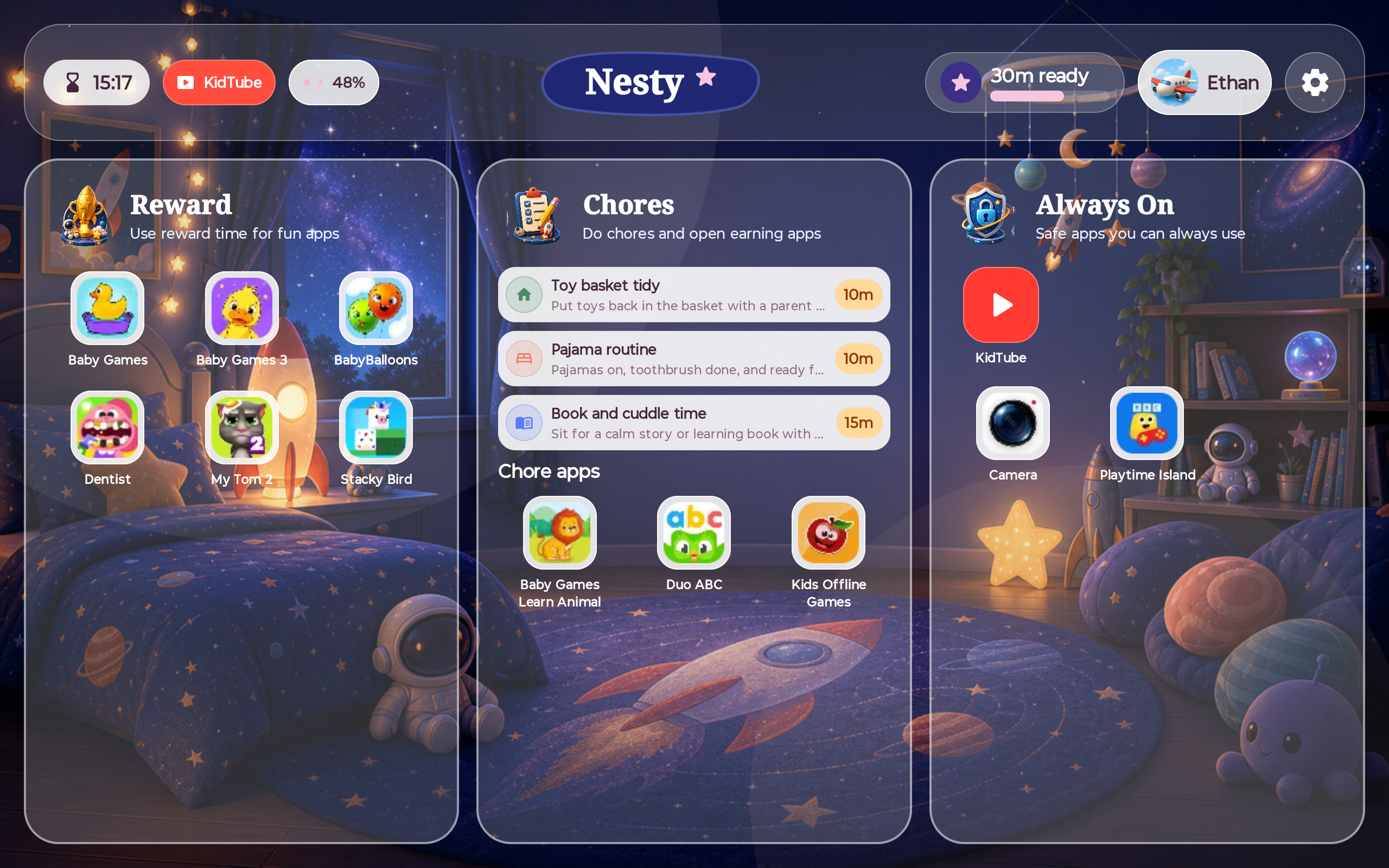
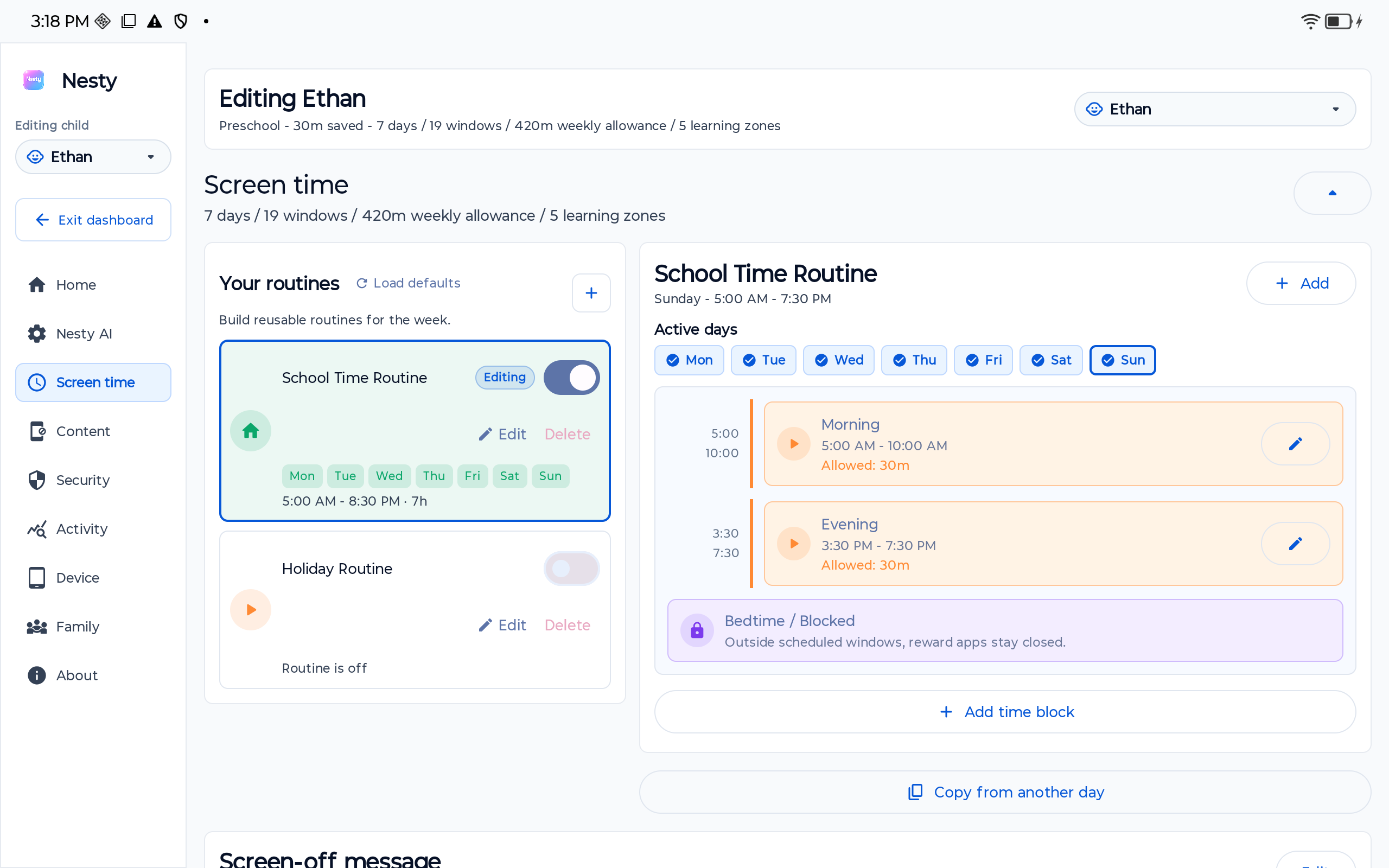
The hub is organized around decisions a parent can verify: the child account, the tablet model, platform controls, app rules, screen-time schedules, Nesty's own product screens, and the child-side handover test.
Freshness
Reviewed on 21 June 2026
Current pages use the same-day Android, Google, Samsung, Amazon, and competitor source refreshes recorded in the Nesty publishing log.
Source standard
Official sources first
Where platform behavior matters, Nesty guides should start from public support pages, store listings, pricing pages, and visible product evidence.
Data integrity
Check the child tablet view
Setup and troubleshooting pages separate parent-dashboard settings from what the selected child tablet actually shows before recommending changes.
Comparison fairness
No fake ranking badges
Comparison pages explain where other products are strong before showing the narrower Android child-tablet routine fit for Nesty.
Start here
Choose the page that matches the decision in front of you.
Nesty's strongest pages are practical guides with a narrow job. Use this hub when you need the right page without scanning every footer link.
Broad choice
Tablet parental control app guide
Compare Android, iPad, Fire, built-in controls, and when a dedicated Android child-tablet routine makes sense.
Android setup
Android tablet parental controls
Understand Android, Family Link, app rules, web filters, screen time, KidTube, and where Nesty fits.
Android 17
Android 17 parental controls
Check what Android 17 changes, what still depends on Family Link, and how to test the child tablet before handover.
Samsung tablets
Samsung tablet parental controls
Choose between Samsung Kids, Samsung child accounts, Family Link, Android settings, and Nesty's routine layer.
Kids Space
Google Kids Space parental controls
Use Kids Space with Family Link on supported Android tablets, then test app approvals, screen time, YouTube Kids, and Nesty fit.
Lenovo tablets
Lenovo IdeaTab kids parental controls
Prepare Nesty's recommended Android tablet line with Family Link, Google Play limits, child-view tests, and Nesty routines.
Hand-me-down
Old Android tablet for a child
Check update health, old accounts, reset decisions, storage, controls, and handover testing before giving a child an old tablet.
Troubleshooting
Family Link not working on a child tablet
Diagnose account, device, app limit, schedule, sync, time, and child-view mismatches before changing rules.
Checklist
Android tablet parental controls checklist
Work through account, Family Link, Google Play, Kids Space, apps, screen time, sync, recovery, and handover tests.
Buying
Best Android tablet for kids controls
Choose by control fit, not hype: Fire Kids, Samsung Kids, Google Kids Space, regular Android, and Nesty fit.
Setup and daily rules
Build the child tablet in layers you can test.
Start with account and device controls, then add the child-visible routine only when the device is ready.
Built-in on-device controls, Family Link overlap, device support, recovery, and child-side testing.
Samsung Kids, child accounts, Family Link on Galaxy, Android settings, Nesty fit, and child-side testing.
Kids Space compatibility, Family Link setup, app approvals, YouTube Kids, Nesty fit, and child-side handover testing.
Check the exact tablet, Family Link, Google Play restrictions, Kids Space availability, recovery, and Nesty child-dashboard agreement.
A practical pre-handover checklist for accounts, Family Link, Google Play, Kids Space, app paths, screen time, sync, and recovery.
Account order, reset checks, Family Link, Nesty setup, and parent-dashboard/tablet agreement.
Fix child-profile, device, app-limit, downtime, sync, and tablet-view mismatches without guessing.
A practical path for built-in controls, app boundaries, web limits, video, recovery, and handover checks.
Compare built-in tablet ecosystems and decide where Nesty adds clearer visible routines.
Daily limits, downtime, quiet hours, always-on apps, exceptions, and reward windows.
App lanes, blocked apps, browser boundaries, app stores, and child-view testing.
Use chores, learning apps, rewards, always-on tools, and reward-state checks without promising perfect behavior.
Approved video paths, YouTube Kids/supervised YouTube context, testing, and realistic safety limits.
Trust pages
Check who makes Nesty, what it monitors, and what it costs.
Parents should not have to install a child-tablet product before understanding the publisher, pricing, data boundaries, claim limits, and support routes.
Fair comparisons
Compare Nesty without pretending other products are weak.
Each comparison starts by taking the other product seriously, then explains where Nesty's narrower Android child-tablet routine fits.