Fair comparison
Nesty vs Kids Place for child Android tablets.
Kids Place is a strong kids mode launcher for approved apps and child lock behavior. Nesty fits when the child tablet also needs clearer parent-managed app lanes, KidTube, chores, rewards, schedules, and a visible daily routine.
Short answer
Pick Kids Place for a classic kids-mode launcher. Pick Nesty for a routine-led child tablet.
If you are looking for a Kids Place alternative, the right question is not which app can claim the longest feature list. Kids Place is a dedicated kids mode launcher for phones and tablets. Nesty is a controlled Android child-tablet system built around app lanes, visible tablet rules, KidTube, chores, rewards, schedules, and parent setup clarity.
Kids Place is strong
It has a clear kids-mode mental model: approve apps, show only those apps, and require a PIN to exit.
Nesty is more routine-led
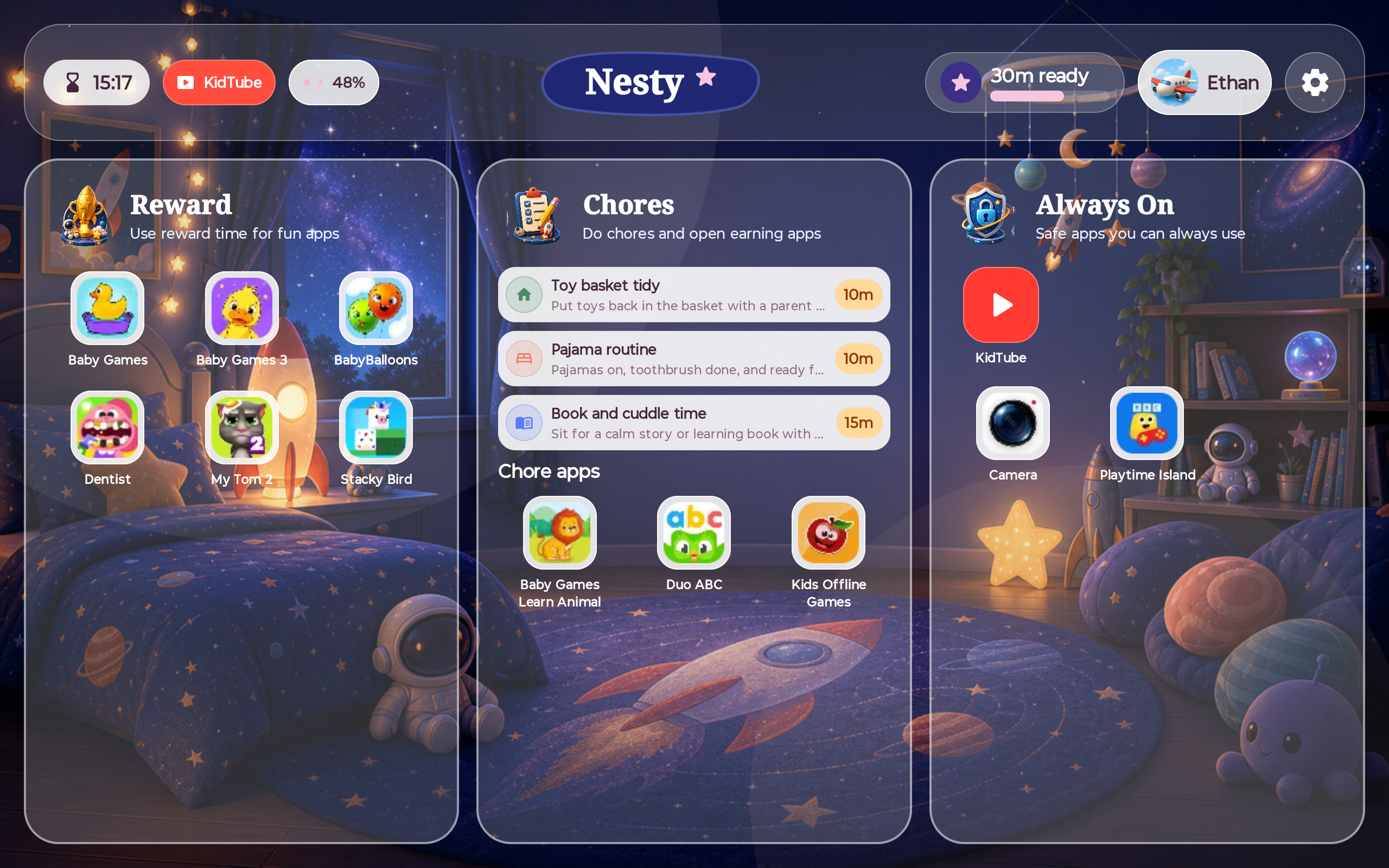
Nesty separates always-on, chore or learning, reward, blocked, and KidTube paths on the child tablet.
Both need testing
Android version, manufacturer behavior, permissions, reboot handling, and app settings can affect any tablet setup.
No perfect safety claim
The useful promise is clearer routines and fewer surprises, not guaranteed safety or perfect enforcement.
Where Kids Place is strong
Kids Place is a mature kids-mode launcher.
Kids Place's Google Play listing describes a Kids Mode and parental control app for phones and tablets. It says parents can create a controlled environment, approve which apps appear, block unapproved apps, set screen-time limits, prevent purchases and downloads, and keep children inside Kids Place until a parent exits with a PIN.
Kiddoware's own materials also describe PIN setup and recovery, app selection, categories, premium advanced settings, multiple users, safe browser integration, and remote control options. That makes Kids Place a serious option for families who primarily want a child-friendly launcher and app approval model.
Where Nesty fits
Nesty is built around the whole child-tablet day.
Nesty focuses on what the tablet should show during real family routines: learning apps, reward apps, always-on tools, blocked apps, approved KidTube channels, quiet hours, chores, and parent-managed setup state.
Side-by-side
Compare the job each product is best suited for.
Use this as a fit check. Kids Place and Nesty overlap, but they are not trying to explain the child tablet in the same way.
| Parent need | Kids Place | Nesty |
|---|---|---|
| Kids mode launcher | Strong fit. Kids Place is explicitly built around a child-friendly launcher with approved apps and PIN exit. | Provides a child dashboard, but the emphasis is app purpose, schedule, reward state, and routine clarity. |
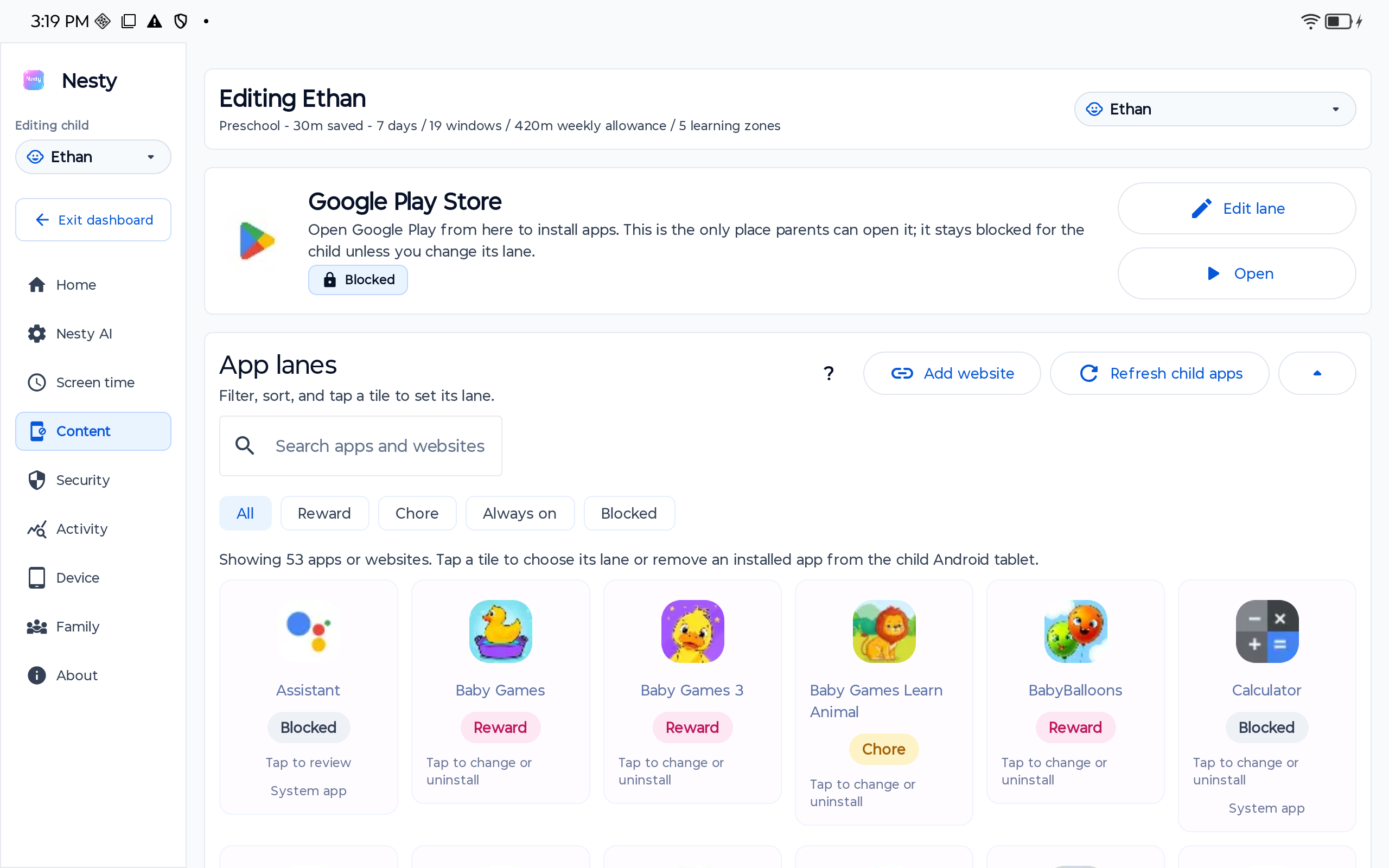
| Approved app access | Lets parents choose which apps appear and blocks apps that are not approved. | Lets parents separate apps into always-on, chore or learning, reward, and blocked lanes. |
| Screen time | Supports daily device or app limits, with more flexible controls listed in paid plans and premium materials. | Uses schedules, quiet hours, reward windows, app lanes, and child-visible rule state for tablet routines. |
| Video and web | Documents safe browser and video-player options through Kiddoware companion paths and plugins. | KidTube focuses on parent-approved channels and keeps regular YouTube out of the default child path. |
| Tamper resistance | Documents PIN exit, reboot behavior, advanced security settings, and uninstall-protection options. | Focuses on controlled tablet setup, parent dashboard agreement, schedules, lanes, and setup verification. |
| Parent diagnosis | Useful when checking approved apps, PIN, timer profile, permissions, browser plugin, and premium settings. | Useful when checking child profile, device payload, app lane, schedule, reward state, KidTube, and dashboard agreement. |
Decision checklist
Kids Place may be enough when the launcher is the main problem.
Start with Kids Place if your main need is a dedicated kids mode, approved app launcher, PIN exit, app blocking, Play Store purchase or download control, and a familiar Android launcher-style setup.
Choose Nesty when the parent problem is less about a launcher and more about the day: which apps are learning, which apps are reward entertainment, which tools stay always on, how KidTube should appear, what the child sees when time is off, and whether the tablet rule matches the parent dashboard.
Data integrity check
When a child tablet escapes a rule, inspect the setup before blaming the app.
For Kids Place, check the approved-app list, selected user, PIN, timer profile, usage-access permission, reboot/start settings, browser plugin choice, device battery optimization, and whether a premium-only setting is required for the behavior you expect.
For Nesty, check the right family, child profile, physical tablet, Android version, app lane, schedule, KidTube visibility, reward state, and whether the child tablet has the latest parent-dashboard payload.
Limits
Neither app should be treated as a perfect shield.
Launcher controls, app blocking, screen-time limits, safe browsers, and video controls can all reduce risk and make rules easier to understand, but parents still need to choose age-appropriate apps, approve channels carefully, test devices after updates, and keep family rules current.
Nesty is focused on Android child tablets. It should not be described as an iPad protected-mode product, a universal monitoring suite, or a guarantee that every Android manufacturer behaves the same way.
FAQ
Kids Place and Nesty questions.
Short answers for parents comparing Kids Place with Nesty for child Android tablets.
Is Nesty a Kids Place replacement?
Nesty can be a Kids Place alternative for families who want app lanes, KidTube, chores, rewards, schedules, and a parent dashboard. Kids Place remains a strong dedicated kids mode launcher.
What is Kids Place best at?
Kids Place is best known for approved apps, a child-friendly launcher, PIN exit, app blocking, screen-time controls, and optional premium security settings.
What is Nesty best at?
Nesty is best suited to parent-managed Android child tablets where visible app lanes, reward rules, KidTube, schedules, and setup agreement matter.
Does either app make a tablet perfectly safe?
No. Controls reduce risk and improve routines, but parents still need judgement, testing, reviews, and clear family rules.