Fair comparison
Nesty vs Kidslox for child Android tablets.
Kidslox is a broad parental-control app with screen-time limits, schedules, app blocking, web filtering, location, monitoring, and Time Rewards. Nesty fits when the main job is making one Android child tablet easier to understand with visible app lanes, KidTube, chores, rewards, and daily routines.
Short answer
Pick Kidslox for broad parental controls. Pick Nesty for a routine-led Android child tablet.
If you are looking for a Kidslox alternative, start with the job you need done. Kidslox covers cross-device parental controls, app and web restrictions, screen-time limits, and rewards. Nesty is narrower: it is built for families who want the child tablet itself to show clear app lanes, KidTube, chores, rewards, schedules, quiet hours, and parent-approved setup state.
Kidslox is broad
It covers instant lock, app blocking, web filtering, schedules, reporting, location, and time rewards depending on platform and setup.
Nesty is tablet-first
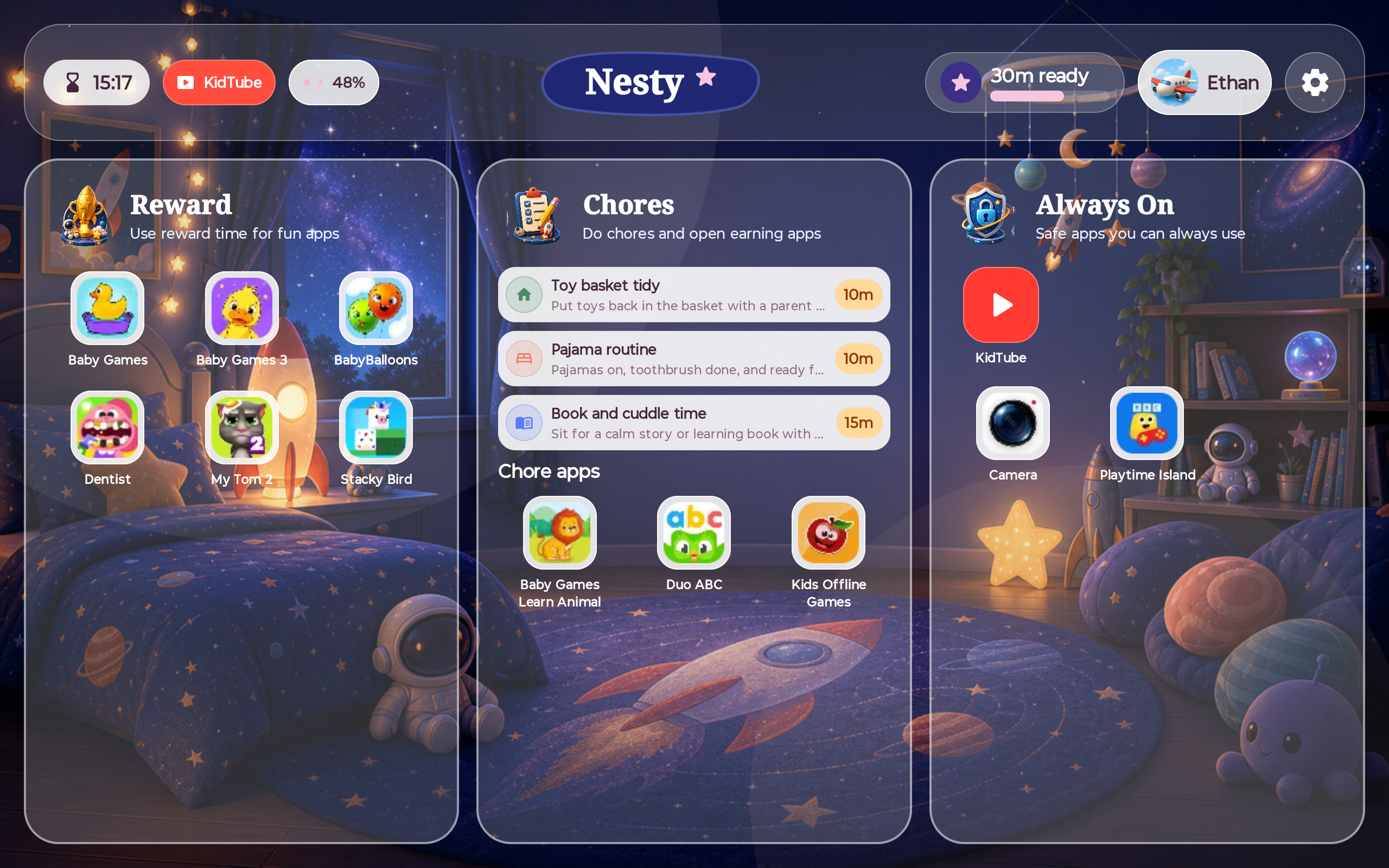
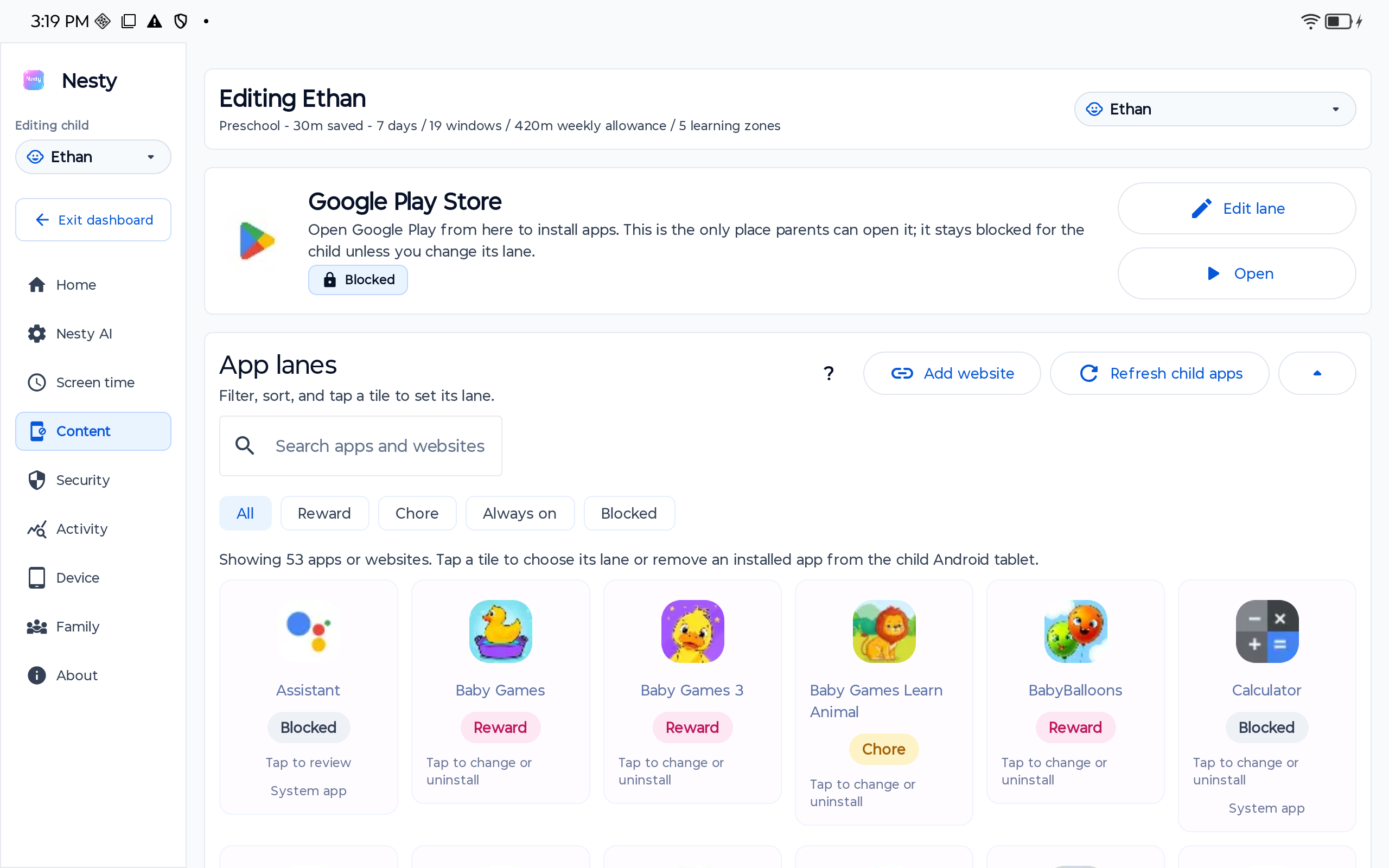
Nesty separates always-on, chore or learning, reward, blocked, and KidTube paths on the child Android tablet.
Rewards work differently
Kidslox Time Rewards add approved task rewards to daily limits. Nesty puts chores and reward apps inside visible tablet lanes.
No perfect safety claim
The useful promise is clearer routines and fewer surprises, not guaranteed safety or perfect enforcement.
Where Kidslox is strong
Kidslox has serious parental-control breadth.
Kidslox's own pages describe individual app blocking, social network monitoring, content monitoring, web filtering, daily limits, schedules, instant lock, GPS tracking, reporting, childproofing, cross-platform control, and up to 10 devices on an account. Its Google Play listing also describes screen-time schedules, daily limits, screen-time rewards, activity monitoring, custom modes, location tracking, adult-content filtering, in-app purchase blocking, safe search, and full internet blocking.
Kidslox is especially relevant to Nesty's reward-time searches because its Time Rewards feature lets parents set tasks or chores, choose reward time, let the child claim completion, and approve or deny the reward request from the parent side.
Where Nesty fits
Nesty is built around the whole child-tablet day.
Nesty focuses on what the tablet should show during real family routines: learning apps, reward apps, always-on tools, blocked apps, approved KidTube channels, quiet hours, chores, and parent-managed setup state.
Side-by-side
Compare the job each product is best suited for.
Use this as a fit check. Kidslox and Nesty both touch screen time and rewards, but they are not trying to explain the child's device in the same way.
| Parent need | Kidslox | Nesty |
|---|---|---|
| Broad parental controls | Strong fit. Kidslox covers app blocking, schedules, web filtering, reporting, location, instant lock, cross-platform control, and more. | More focused. Nesty centers the child Android tablet routine and parent setup agreement rather than a universal monitoring suite. |
| Reward time | Time Rewards lets parents create tasks or chores, choose reward time, and approve or deny child reward requests. | Chore and reward apps live in visible lanes alongside schedules, always-on tools, KidTube, and blocked entertainment paths. |
| App access | Supports app blocking, custom modes, individual app choices, and screen-time schedules depending on platform behavior. | Lets parents separate apps into always-on, chore or learning, reward, and blocked lanes. |
| Video and web | Offers web filtering, safe search, YouTube restricted-mode style controls, and monitoring features depending on platform and plan. | KidTube focuses on parent-approved channels and keeps regular YouTube out of the default child path. |
| Location and monitoring | Stronger fit. Kidslox documents GPS tracking, reporting, content monitoring, and social-network monitoring features. | Not the main job. Nesty should not be sold as a location, social monitoring, or screenshot-monitoring suite. |
| Parent diagnosis | Useful when checking child profile, mode, daily limit, reward request, app rules, web filtering path, VPN, device-admin, and accessibility permissions. | Useful when checking child profile, device payload, app lane, schedule, reward state, KidTube, and dashboard agreement. |
Decision checklist
Kidslox may be enough when cross-device parental control is the main problem.
Start with Kidslox if your priority is a broader parental-control app with app blocking, screen-time limits, schedules, location, web filtering, reporting, cross-platform management, and a task-reward flow where children request extra time after completing work.
Choose Nesty when the parent problem is less about general monitoring and more about shaping the tablet day: which apps are learning, which apps are reward entertainment, which tools stay always on, how KidTube should appear, what the child sees when time is off, and whether the tablet rule matches the parent dashboard.
Data integrity check
When reward time or app blocking behaves oddly, inspect setup data before blaming the app.
For Kidslox, check the right child device, current mode, daily limit, Time Rewards state, reward approval status, app rules, schedule, web filtering/VPN path, Device Administrator permission, Accessibility permission, notifications, battery settings, and whether another parental-control app is also active.
For Nesty, check the right family, child profile, physical tablet, Android version, app lane, schedule, KidTube visibility, reward state, and whether the child tablet has the latest parent-dashboard payload.
Limits
Neither app should be treated as a perfect shield or behavior system.
Monitoring, filtering, app blocking, screen-time limits, rewards, reports, safe browsers, and video controls can all reduce risk and make rules easier to understand, but parents still need to choose age-appropriate apps, review settings, approve channels carefully, test devices after updates, and keep family rules current.
Nesty is focused on Android child tablets. It should not be described as an iPad protected-mode product, a location tracker, a social monitoring product, or a guarantee that every Android manufacturer behaves the same way.
FAQ
Kidslox and Nesty questions.
Short answers for parents comparing Kidslox with Nesty for child Android tablets.
Is Nesty a Kidslox replacement?
Nesty can be a Kidslox alternative for families who want app lanes, KidTube, chores, rewards, schedules, and a parent dashboard. Kidslox remains a broader parental-control app with more monitoring and location breadth.
What is Kidslox best at?
Kidslox is best known for screen-time limits, schedules, instant lock, app blocking, web filtering, location, reports, and Time Rewards for tasks or chores.
What is Nesty best at?
Nesty is best suited to parent-managed Android child tablets where visible app lanes, reward rules, KidTube, schedules, and setup agreement matter.
Can Nesty and Kidslox be used together?
Possibly, but test on the exact tablet. Multiple parental-control tools can compete for permissions, app blocking, web filtering, VPN use, accessibility services, and battery behavior.