Fair comparison
Nesty vs Amazon Kids for child Android tablets.
Amazon Kids is the obvious first choice for Fire Kids tablets and Amazon's own family content ecosystem. Nesty fits a different job: a parent-managed non-Fire Android child tablet that needs visible app lanes, KidTube, chores, rewards, schedules, and a setup parents can test from the child view.
Short answer
Keep Amazon Kids for Fire tablets. Consider Nesty for non-Fire Android child tablets.
If you are buying a Fire Kids tablet or already rely on Amazon Kids+, use Amazon Kids and Parent Dashboard first. If your family has a regular Android tablet and wants a child-facing routine layer with app lanes, KidTube, chores, rewards, quiet hours, and setup agreement, Nesty is the more relevant comparison.
Amazon Kids is ecosystem-first
Parent Dashboard works across compatible Amazon devices and Amazon Kids+, with child profiles, time limits, age filters, content, and activity controls.
Nesty is Android tablet-first
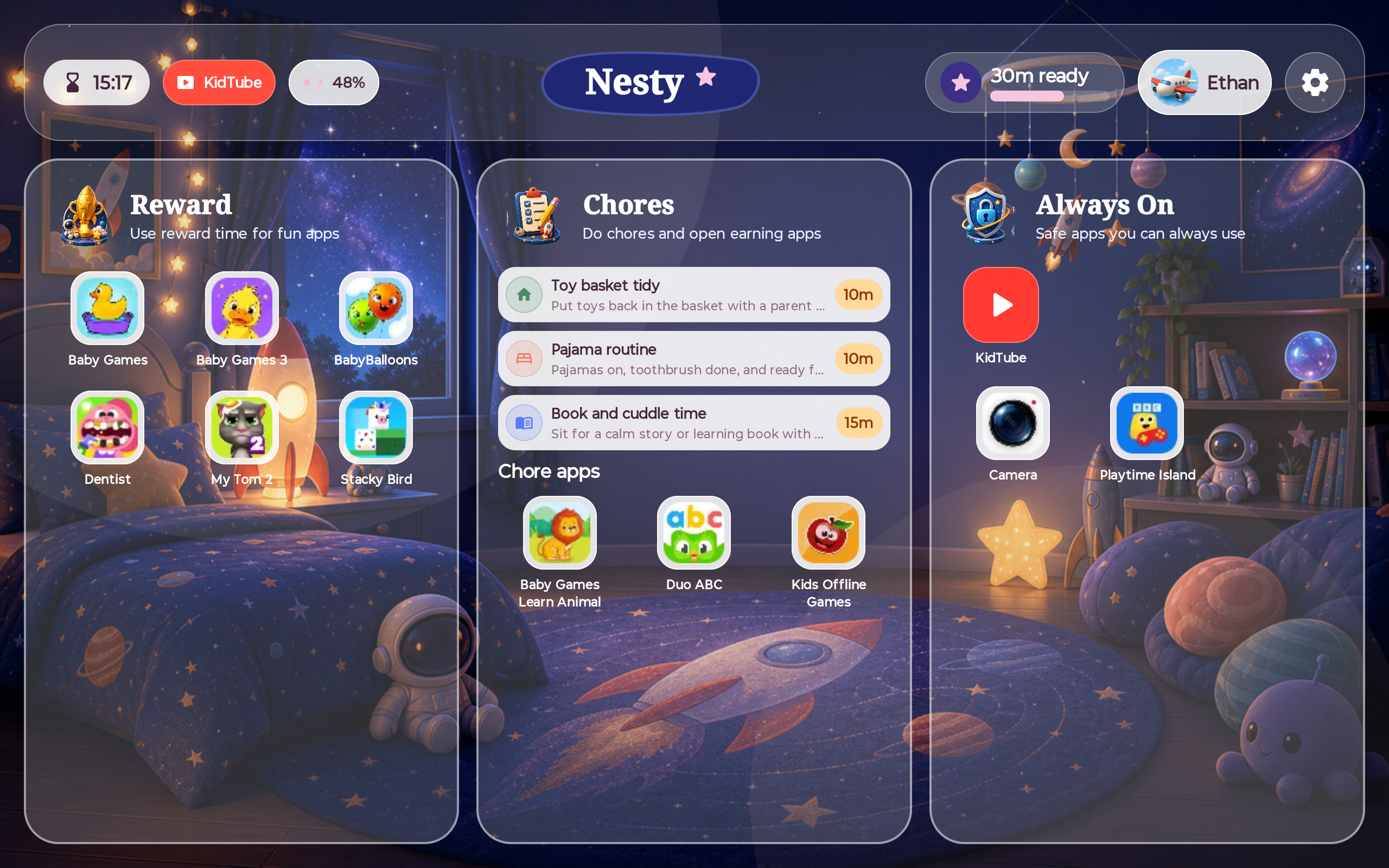
Nesty is built around a controlled non-Fire Android child tablet where the child sees clear daily rules and app lanes.
Fire tablet caveat matters
Amazon states that Google Play is not supported on Fire tablets. Do not assume an Android app setup works the same way on Fire OS.
No universal winner
The right answer depends on the tablet ecosystem, the content source, and whether the parent needs Amazon content controls or Nesty-style visible routines.
Where Amazon Kids is strong
Amazon Kids is hard to beat inside Amazon's own ecosystem.
Amazon describes Parent Dashboard as a free hub for managing children's digital experiences across compatible Amazon devices and Amazon Kids+. Its current guidance says parents can configure age-appropriate settings, set screen-time limits, review activity, manage content, set educational goals, adjust web-browsing restrictions, and manage child profiles across Fire tablets, Kindle, Echo, Fire TV, and related Amazon experiences.
For Fire Kids tablets, Amazon's own product pages describe included Amazon Kids+ subscriptions, parental controls for time limits and bedtimes, remote pause, activity review, content management, safe web browsing, purchase/download approval, kid-proof cases, and a two-year worry-free guarantee on Kids models.
Where Nesty fits
Nesty is for families shaping a regular Android tablet into a child tablet.
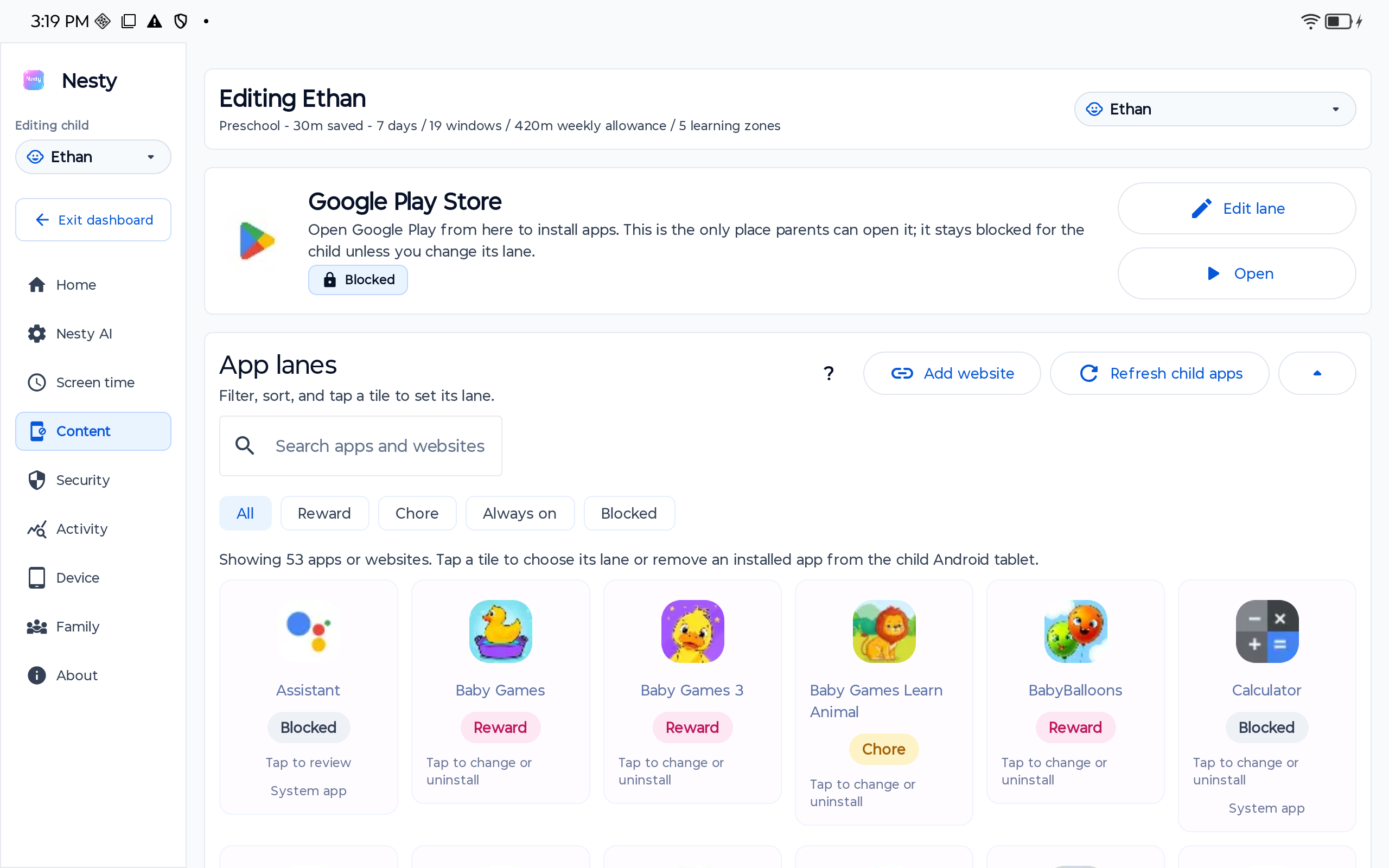
Nesty focuses on the child-facing tablet day: learning apps, reward apps, always-on tools, blocked apps, approved KidTube channels, quiet hours, chores, reward state, and whether the parent dashboard agrees with the physical tablet.
Side-by-side
Compare by tablet ecosystem, not by hype.
Amazon Kids and Nesty both help parents create boundaries, but they start from different assumptions. One is an Amazon device/content ecosystem; the other is a controlled Android child-tablet routine.
| Parent need | Amazon Kids | Nesty |
|---|---|---|
| Fire Kids tablet setup | Strong fit. Amazon Kids and Parent Dashboard are the native path for Fire Kids tablets and Amazon Kids+ content. | Not the default recommendation. Do not assume Nesty's Android setup works on Fire tablets unless that exact device path is tested. |
| Non-Fire Android tablet | Less direct. Parent Dashboard is strongest around Amazon devices and Amazon Kids+ experiences. | Better fit when the family wants app lanes, KidTube, chores, rewards, schedules, and visible rules on a supported Android child tablet. |
| Content ecosystem | Strong fit for Amazon Kids+ books, videos, apps, games, Alexa skills, Fire tablet web settings, and Amazon content approvals. | Focuses on the apps and video paths the parent chooses for the Android tablet, including approved KidTube channels. |
| Screen time | Supports daily limits, schedules, Learn First educational goals, category/content controls, and device pauses where supported. | Uses schedules, app lanes, reward state, quiet hours, and child-facing rule messages to make the tablet day clearer. |
| Purchases and downloads | Parent Dashboard can approve or deny store/download requests and manage Amazon content access. | Nesty is not a store or Amazon-content approval layer; it focuses on the controlled Android tablet surface. |
| Parent diagnosis | Check the child profile, age filter, Amazon Kids+ state, store access, web setting, daily limits, Learn First goals, and approved content. | Check the family, child profile, physical tablet, Android version, app lane, schedule, KidTube visibility, reward state, and latest dashboard payload. |
Decision checklist
Start with the tablet you actually own.
Choose Amazon Kids when the device is a Fire Kids tablet, Kindle, Echo, Fire TV, or a child experience built around Amazon Kids+. That path gives the most native support for Amazon content, Parent Dashboard controls, age filters, Learn First goals, store requests, and Fire tablet web settings.
Choose Nesty when the device is a supported Android tablet outside the Fire Kids lane and the parent problem is the daily child-tablet routine: learning apps, reward apps, always-on tools, KidTube, blocked paths, quiet hours, chores, and parent-dashboard/tablet agreement.
Data integrity check
When a tablet rule seems wrong, check the account and device state first.
For Amazon Kids, check the right Amazon account, child profile, age filter, Amazon Kids+ subscription state, device type, store access, approved content, web browser mode, daily limits, Learn First goals, communications settings, and whether an outside app has its own parental controls.
For Nesty, check the right family, child profile, physical tablet, Android version, app lane, schedule, KidTube visibility, reward state, and whether the child tablet has the latest parent-dashboard payload.
Limits
Neither product removes the parent from the decision.
Amazon's own guidance says no technology, including Parent Dashboard, is a substitute for parental involvement. Nesty follows the same principle: rules can reduce friction and make the child tablet clearer, but parents still need to choose appropriate apps and channels, check settings, test devices after updates, and adjust rules as the child grows.
Nesty should not be described as a Fire Kids tablet replacement, an Amazon Kids+ content library, or a universal iPad/Fire/Android solution. It is a narrower Android child-tablet product.
FAQ
Amazon Kids and Nesty questions.
Short answers for parents comparing Amazon Kids with Nesty for child tablets.
Is Nesty an Amazon Kids replacement?
No, not for Fire Kids tablets. Amazon Kids and Parent Dashboard are the native Amazon path. Nesty is for supported Android child tablets where visible app lanes, KidTube, chores, rewards, and schedules are the main need.
What is Amazon Kids best at?
Amazon Kids is best suited to compatible Amazon devices and Amazon Kids+ content, with child profiles, age filters, time limits, content management, activity review, Learn First goals, and web settings.
What is Nesty best at?
Nesty is best suited to parent-managed Android child tablets where visible app lanes, reward rules, KidTube, schedules, and setup agreement matter.
Can I use Nesty on a Fire tablet?
Do not assume that. Amazon says Google Play is not supported on Fire tablets, and Fire OS behavior is not the same as a normal Android tablet. Treat Fire support as unverified unless the exact device path has been tested.