Fair comparison
Nesty vs Mobicip for child Android tablets.
Mobicip is a broad parental-control product for screen time, app blocking, web filtering, location, reports, and social monitoring. Nesty fits a narrower job: making one Android child tablet show clearer routines, app lanes, KidTube, chores, rewards, schedules, quiet hours, and visible rules.
Short answer
Pick Mobicip for broad parental controls. Pick Nesty for child-visible tablet routines.
Both products can matter to Android families, but they solve different parent jobs. Mobicip is closer to a cross-platform parental-control and monitoring product. Nesty is closer to a controlled Android child-tablet routine that the child can see and the parent can verify.
Mobicip is broader
Mobicip documents screen-time schedules, app blocking, website filtering, family location, social-media monitoring, activity reports, uninstall protection, and device locking across several platforms.
Nesty is tablet-routine first
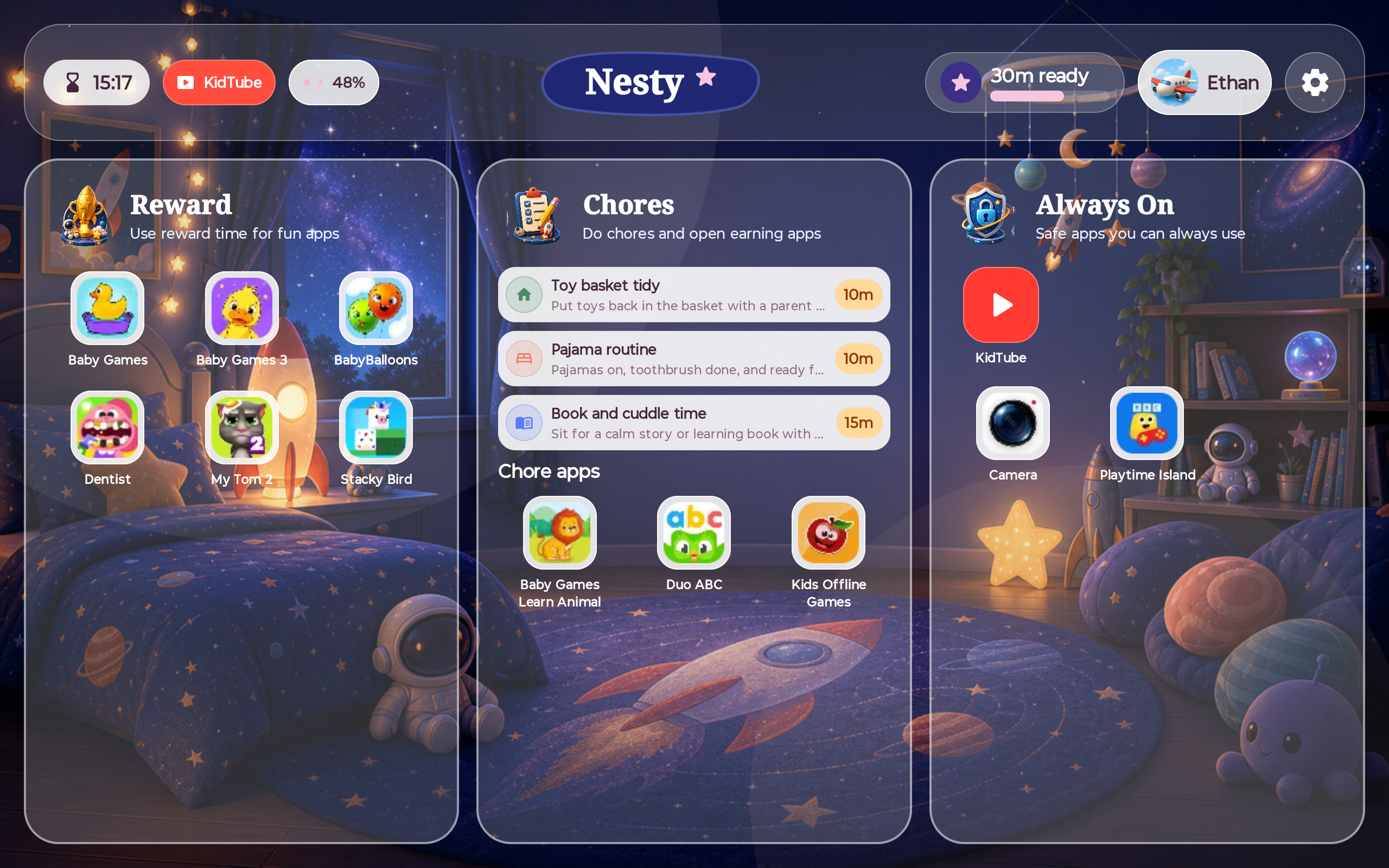
Nesty focuses on app lanes, KidTube, chores, rewards, schedules, quiet hours, and the child tablet's visible rule state.
Permissions matter
Mobicip's Google Play listing says Android Accessibility Services, VpnService, and Device Administrator permissions are used for blocking and uninstall protection, so setup checks matter.
No blanket winner
Choose by the job: broad monitoring and web filtering, or a child-facing Android tablet routine.
Where Mobicip is strong
Mobicip is built for cross-platform controls, filtering, location, and reports.
Mobicip's official pages describe screen-time limits, custom schedules, app and website blocking, web filtering, activity summaries, family location, geofences, social-media monitoring, guardian collaboration, and child dashboards. Its Google Play listing also describes YouTube controls, messaging controls, pause, install alerts, GPS tracking, geofencing, reports, and uninstall protection.
That makes Mobicip relevant when a parent wants broad parental controls across several device types, rather than only a child-visible Android tablet routine.
Where Nesty fits
Nesty is built around the tablet day the child actually sees.
Many families do not only need more monitoring. They need the tablet to make the rule obvious: learning first, reward apps later, KidTube only when allowed, always-on tools still available, and quiet hours that do not require a fresh argument.
Side-by-side
Compare the parent job, not just the feature list.
Mobicip and Nesty overlap on screen time and app access, but their center of gravity is different.
| Parent need | Mobicip | Nesty |
|---|---|---|
| Broad device coverage | Stronger fit. Mobicip says it supports iPhone, iPad, Android, Mac, Windows, Chromebook, and Kindle. | More focused. Nesty's child-tablet experience should be treated as a supported Android child-tablet setup. |
| Screen time | Supports screen-time limits, custom schedules, daily allowances, app limits, remote lock, and reports. | Uses schedules, quiet hours, app lanes, earned reward windows, and child-visible lock messaging. |
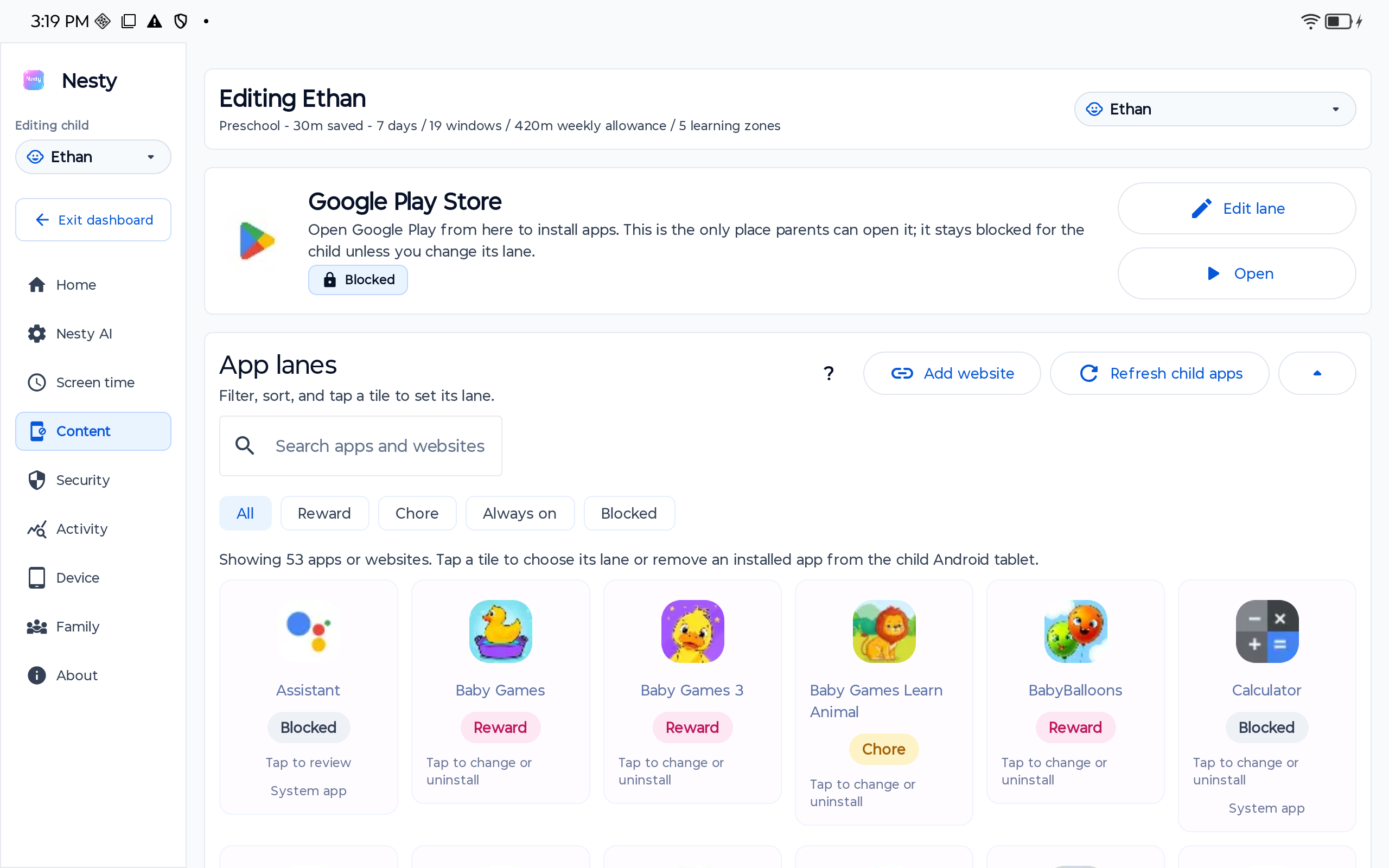
| App and web access | Supports app blocking, app/category limits, website blocker, web filtering, and VPN-based blocking on Android. | Separates apps by family purpose: always-on tools, chores or learning, rewards, blocked apps, and KidTube. |
| Monitoring and reports | Stronger fit for activity summaries, browsing/screen-time reports, location, geofencing, and social-media monitoring on supported plans. | More focused. Nesty is not a broad social-media, message, location-history, or web-reporting suite. |
| Video habits | Useful when parents want YouTube controls and viewing history as part of a wider monitoring view. | Focuses on KidTube as a parent-approved channel path on the child tablet. |
| Setup diagnosis | Check account setup, child profile, subscription tier, Android accessibility/VPN/device-admin permissions, app blocking, web filtering, location, reports, and whether another control layer is active. | Check selected child, tablet pairing, app lane, KidTube visibility, schedule window, reward state, and parent-dashboard/tablet sync. |
Decision checklist
Mobicip may be enough when broad controls are the main need.
Start with Mobicip if your priority is cross-platform device coverage, web filtering, app blocking, location, reports, social monitoring, and broad parent oversight across several child devices.
Choose Nesty when the parent problem is the daily Android tablet routine: which apps are learning, which apps are rewards, whether KidTube is visible, what happens at bedtime, and whether the child screen matches the parent rule.
Data integrity check
When a tablet rule fails, inspect setup state before blaming the product.
For Mobicip, check the correct parent account, child profile, subscription tier, child-device install, platform support, Android Accessibility Services, VpnService, Device Administrator permission, app limits, website filters, location permissions, reports, and whether another control layer is active.
For Nesty, check the right family, child profile, physical tablet, Android version, app lane, schedule, KidTube visibility, reward state, and whether the child tablet has the latest parent-dashboard payload.
Limits
Neither product removes the need for supervision.
App blocking, web filtering, location, reports, screen-time rules, approved video paths, rewards, and visible routines can reduce confusion and make family rules easier to keep, but parents still need age-appropriate choices, device testing, updates, and conversations.
Nesty is focused on Android child tablets. It should not be described as a cross-platform monitoring suite, a Fire tablet replacement, an iPad protected-mode product, or a guarantee that every Android manufacturer behaves the same way.
FAQ
Mobicip and Nesty questions.
Short answers for parents comparing Mobicip with Nesty for child Android tablets.
Is Nesty a Mobicip alternative?
It can be, when the parent wants child-visible Android tablet routines rather than broad cross-platform controls. Mobicip is broader for screen time, app blocking, web filtering, location, reports, and social monitoring.
What is Mobicip best at?
Mobicip is strongest when parents want a broad parental-control app across several device types, with screen-time schedules, app and web blocking, location, activity reports, and social monitoring on supported plans.
What is Nesty best at?
Nesty is best suited to parent-managed Android child tablets where visible app lanes, reward rules, KidTube, schedules, chores, quiet hours, and setup agreement matter.
Can Nesty and Mobicip be used together?
Possibly, but test on the exact tablet. Multiple parental-control tools can compete for accessibility services, VPN behavior, device-administrator controls, app blocking, web filtering, notifications, and battery optimization.