Kids tablet buyer guide
Choose the best Android tablet for kids by control fit, not hype.
The right child tablet is the one whose controls you can actually set up, verify, explain, and maintain. For Nesty, our tested recommendation is Lenovo IdeaTab because it gives us a real Android tablet path for the parent-built routines we test every day.
- Fire vs Android
- Lenovo IdeaTab
- Parent-built routines
- Nesty fit
Short answer
For Nesty, start with Lenovo IdeaTab.
A child tablet is not just a screen size. The safer buying decision starts with the exact device we can test, the account system, app store, update support, and parent dashboard you will actually use.
Nesty tested
Our recommended tablet is Lenovo IdeaTab.
Lenovo IdeaTab is the Android tablet line Nesty uses for its own child-dashboard and setup testing. It is the clearest recommendation when parents want Nesty's actual protected Android routine layer. Read the Lenovo IdeaTab setup guide.
Amazon-first
Choose Fire Kids for Amazon's ecosystem.
Fire Kids is strongest when the family mainly wants Amazon Kids, Parent Dashboard, Amazon content, and a child-profile workflow built around Amazon devices.
Parent-built
Nesty was built by a parent for parents.
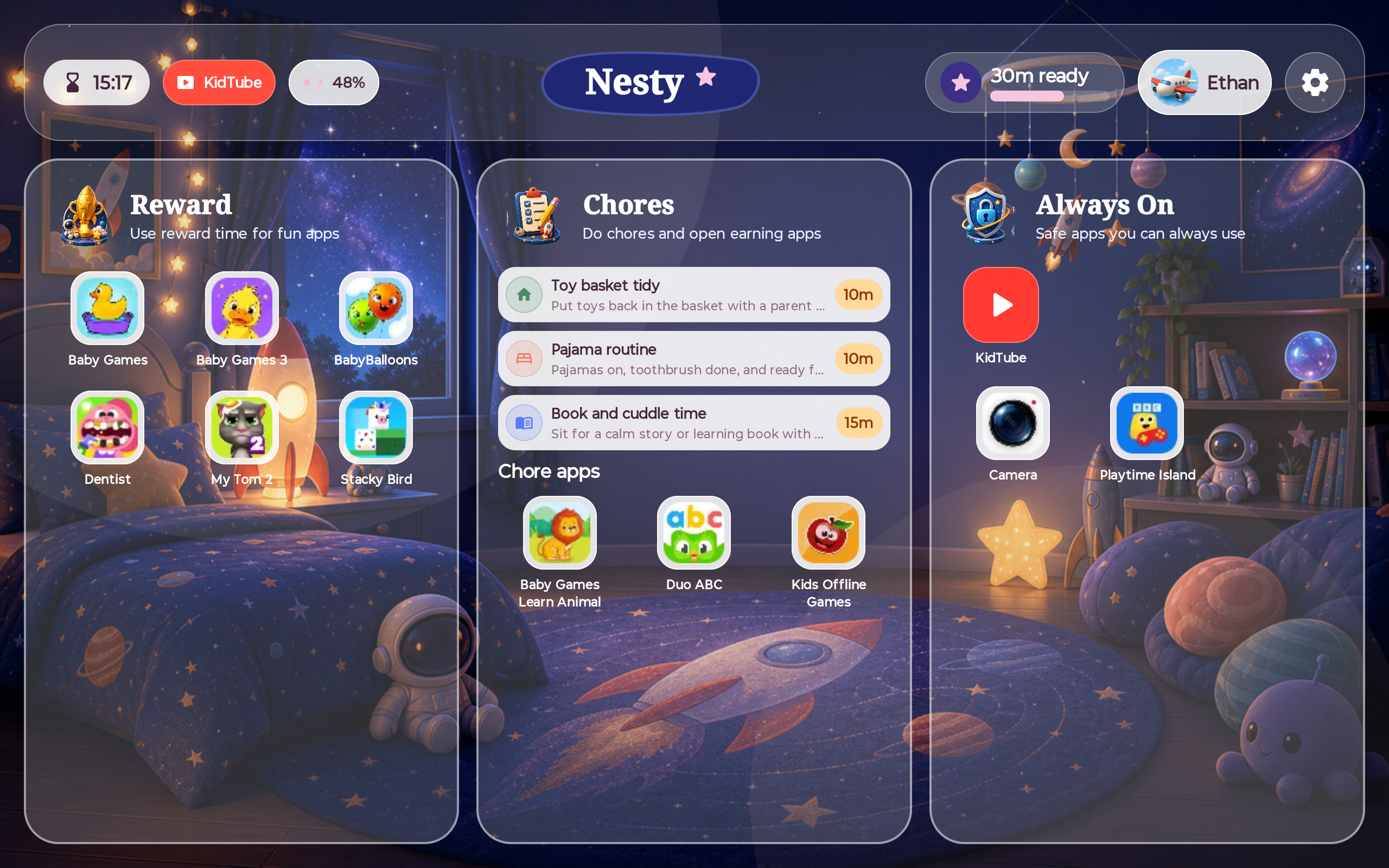
Nesty focuses on the daily reality parents care about: visible rules, fewer arguments, chores, rewards, KidTube, blocked apps, always-on apps, and a dashboard that matches what the child sees.
Nesty fit
Choose Nesty for a controlled Android routine layer.
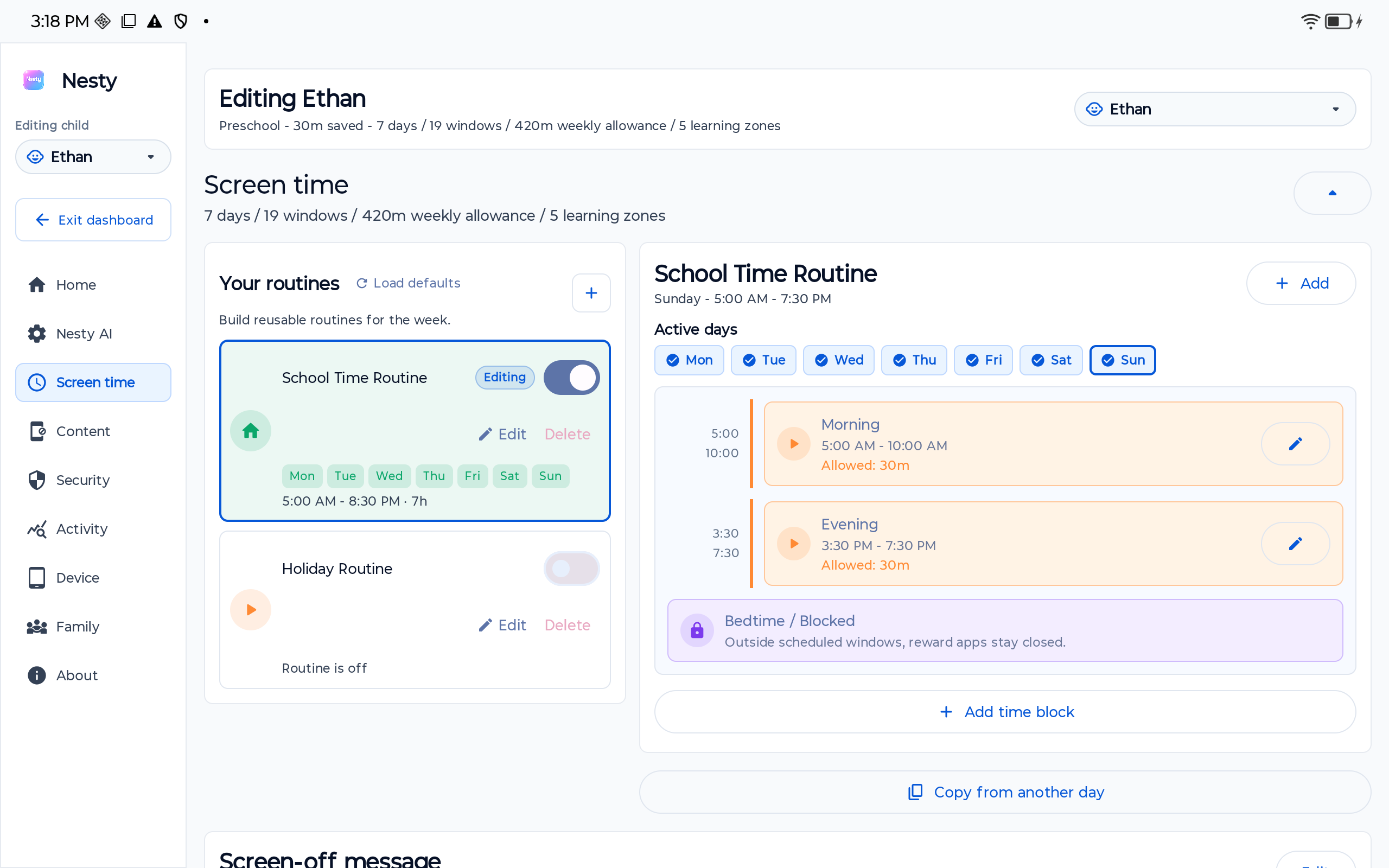
Nesty fits when a parent-managed Android child tablet needs visible app lanes, KidTube, chores, rewards, schedules, quiet hours, and a parent dashboard that matches the child view.
Fit test
The tablet-control fit test.
Run this checklist before buying a kids tablet or installing another parental-control product.
Can you use a child Google Account, Amazon child profile, or Samsung Kids profile without workarounds?
Does the tablet have Google Play, Amazon Appstore, or a manufacturer store, and can purchases or installs be approved?
Will the tablet keep receiving security and system updates long enough for a child to use it safely?
Can you open the tablet as the child and confirm apps, web, video, settings, and time limits behave as expected?
Comparison
Compare tablets by parental-control fit.
This is a control-fit comparison, not a ranked affiliate list. Prices, review scores, and hardware rankings change too quickly to be useful without live retail verification.
| Tablet choice | Best fit when | Trust check before buying | Nesty fit |
|---|---|---|---|
| Lenovo IdeaTab | The family wants Nesty's tested Android tablet path, Google Play access, a current tablet setup, and parent-controlled routines. | Check the exact IdeaTab model, region, Android version, update support, storage, case, return window, and Google services before buying. | Current Nesty recommendation because this is the Android tablet line used for Nesty's own child-dashboard and setup testing. |
| Amazon Fire Kids tablet | The family wants Amazon Kids, Parent Dashboard, child profiles, Amazon content, and a tablet built around that ecosystem. | Confirm whether required apps exist in Amazon's app flow. Amazon notes outside apps can have their own separate controls. | Nesty offers more parent-defined routine capability when the family wants app lanes, KidTube, chores, rewards, always-on apps, and Android setup flexibility rather than an Amazon-first content device. |
| Samsung tablet with Samsung Kids | The family wants a mainstream Android tablet with Samsung's child mode, allowed apps, profiles, PIN protection, screen-time tools, and Samsung updates. | Confirm Samsung Kids is available on the exact model, child profiles can be created, and parent controls are protected by the tablet lock or PIN. | Potentially strong Android fit after the family verifies Google Play, account setup, update support, and Nesty setup requirements. |
| Android tablet with Google Kids Space | The family wants Google's child-friendly tablet surface on a select Android tablet, connected to a child Google Account and Family Link. | Google says Kids Space availability can vary by tablet and region. Check the exact model, child account flow, and Family Link parent device. | Potentially useful when parents want Nesty's routine layer after confirming the tablet supports the child-tablet setup path. |
| Regular Android tablet | The family wants Google Play, Family Link, flexible Android settings, and a clean parent-managed setup rather than a closed kids-tablet bundle. | Check Android version, security updates, storage, battery, reset state, manufacturer apps, Google services, app approvals, and recovery path. | Usually the clearest Nesty target when the tablet is healthy, current enough, and can run the controlled Android child-tablet setup. |
| Unknown bargain or second-hand tablet | The price looks attractive and the family accepts extra verification work before handing it to a child. | Avoid if updates are unclear, Google services are missing, the tablet is locked to an old account, storage is too low, or controls cannot be tested. | Only consider after proving update health, reset state, app install path, Family Link or Android controls, and Nesty setup compatibility. |
Official sources
Use platform documentation before trusting a product claim.
Nesty's device recommendation is grounded in what we can test. Lenovo's current Idea Tab line is the Android tablet family we point parents toward first, while Amazon's documentation remains the right source for families choosing Fire Kids and Parent Dashboard.
Google says Kids Space is available on select Android tablets and requires a child Google Account, while parental controls depend on Family Link on a supported parent device. Google also says Android 17 expands on-device parental controls to devices that update to Android 17, while Android Help documents daily limits, downtime, app limits, blocked apps, web filters, and app store filters.
Samsung documents Samsung Kids controls for allowed apps, content, profiles, PIN-protected parental controls, screen time, and bedtime. Amazon documents Parent Dashboard for compatible Amazon devices, including time, age, content, activity, schedule, and app/content controls.
Current buyer guides can still help build a hardware shortlist, but use them as a starting point. The final decision should come from the exact model's support page and a parent-run setup test.
Where Nesty fits
Nesty is for Android child tablets that need visible routines.
Nesty should not be treated as a generic claim across every kids tablet. It is strongest when the family chooses a tested Android tablet path such as Lenovo IdeaTab, verifies the setup, and wants the child's screen to show the rule clearly.
Fire Kids comparison
Where Nesty gives parents more than a Fire Kids tablet.
Fire Kids is a strong choice when the family wants Amazon Kids, Amazon content, and Parent Dashboard on Amazon hardware. Nesty is different: it is an Android child-tablet product built by a parent for parents who want the tablet itself to reflect the family routine.
That means the child sees app lanes, chores, rewards, KidTube, blocked apps, always-on apps, schedules, quiet hours, and parent-approved rules in one place. The parent dashboard and child dashboard are designed to agree, so troubleshooting starts with the real child screen instead of a vague control setting.
Before checkout
What to check before paying.
Open the support page for the exact tablet model. Confirm operating system version, planned updates, Google services, storage, battery, case availability, reset process, return window, child profile setup, app install approvals, browser settings, video settings, and parent recovery.
If Nesty is part of the plan, verify the tablet is a suitable Android target before you make it the child's main device. A low-price tablet is not cheaper if it cannot receive updates, cannot run the setup path, or creates a support problem later.
FAQ
Kids Android tablet buying questions.
Short answers for parents comparing kids tablets, Android child modes, and Nesty.
Is a Fire Kids tablet the same as an Android tablet for Nesty?
No. Fire tablets run Amazon's tablet experience and should be chosen for Amazon Kids and Parent Dashboard. Nesty's tested recommendation is Lenovo IdeaTab when parents want a controlled Android tablet with visible app lanes, KidTube, chores, rewards, and schedules.
Which tablet does Nesty recommend?
Lenovo IdeaTab is the current Nesty recommendation because it is the Android tablet line used for Nesty testing. Parents should still verify the exact model, updates, Google services, storage, case, and return window before buying.
Is Google Kids Space enough?
It may be enough. Google says Kids Space is available on select Android tablets and works with a child Google Account and Family Link. Parents should still test apps, web, video, purchases, and settings.
Does a child tablet need Android 17?
Not always. Android 17 expands on-device controls for updated devices, but the right buying decision depends on the exact tablet, update support, Family Link fit, and what you can verify today.